Several AI Agents, One Unity Project
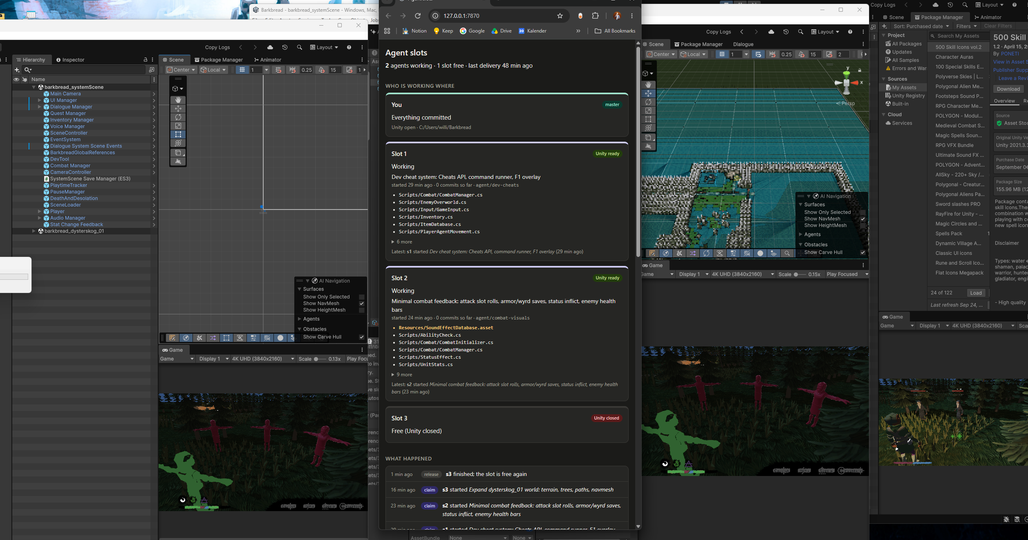
Want three AI agents working on your Unity game at once? The obvious move is to let them all loose in your project folder.
It goes wrong immediately.
- One Editor, many hands. Unity runs one game and one compile at a time. If one agent hits play while another is halfway through a compile, both get garbage.
- The Editor writes files on its own, so everyone’s real changes get mixed up with its noise.
- Scenes don’t merge. Two people changing the same scene is a conflict git can’t sensibly resolve.
- Opening a project is slow. Barkbread takes around fifteen minutes. You can’t pay that on every task.
(Barkbread is the RPG I’m making mostly alone, with agents writing the systems. The day-to-day of that is its own article. This one is the plumbing underneath it.)
A Folder, a Branch and an Editor
So don’t make them share. Give each one their own.
What I built I call agent slots. A slot is another copy of the project (a git worktree, so same repository and history, just checked out in another folder) with its own Unity Editor that stays open.
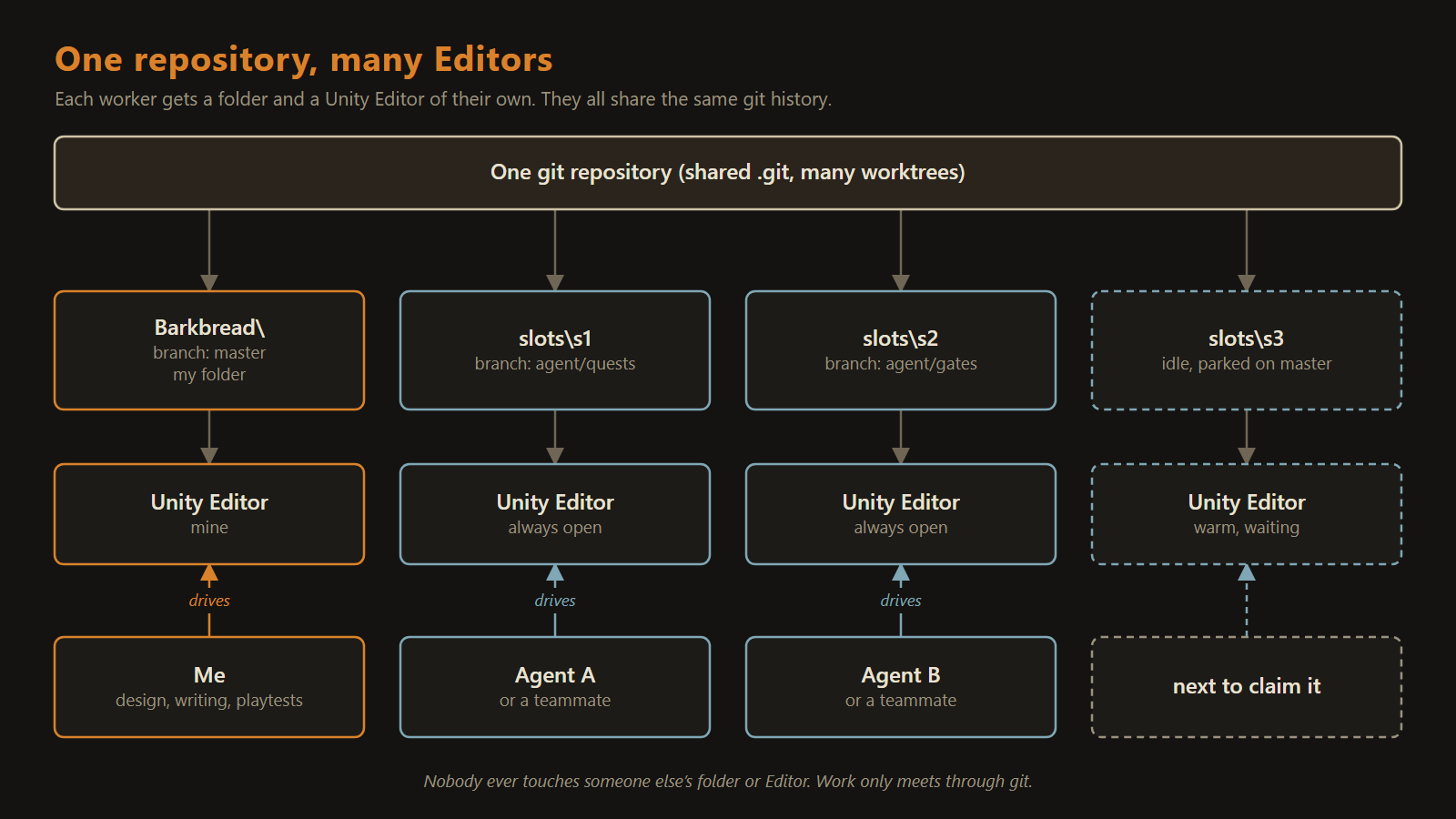 Nobody touches someone else’s folder or Editor. Work only meets through git.
That’s the one rule everything else hangs on. Agents never edit files in my folder, and they never drive my Editor.
An agent claims a free slot, does its work, tests it in its own Editor, and hands the result back into my project through git. Then it releases the slot, and the Editor stays open and warm for the next one.
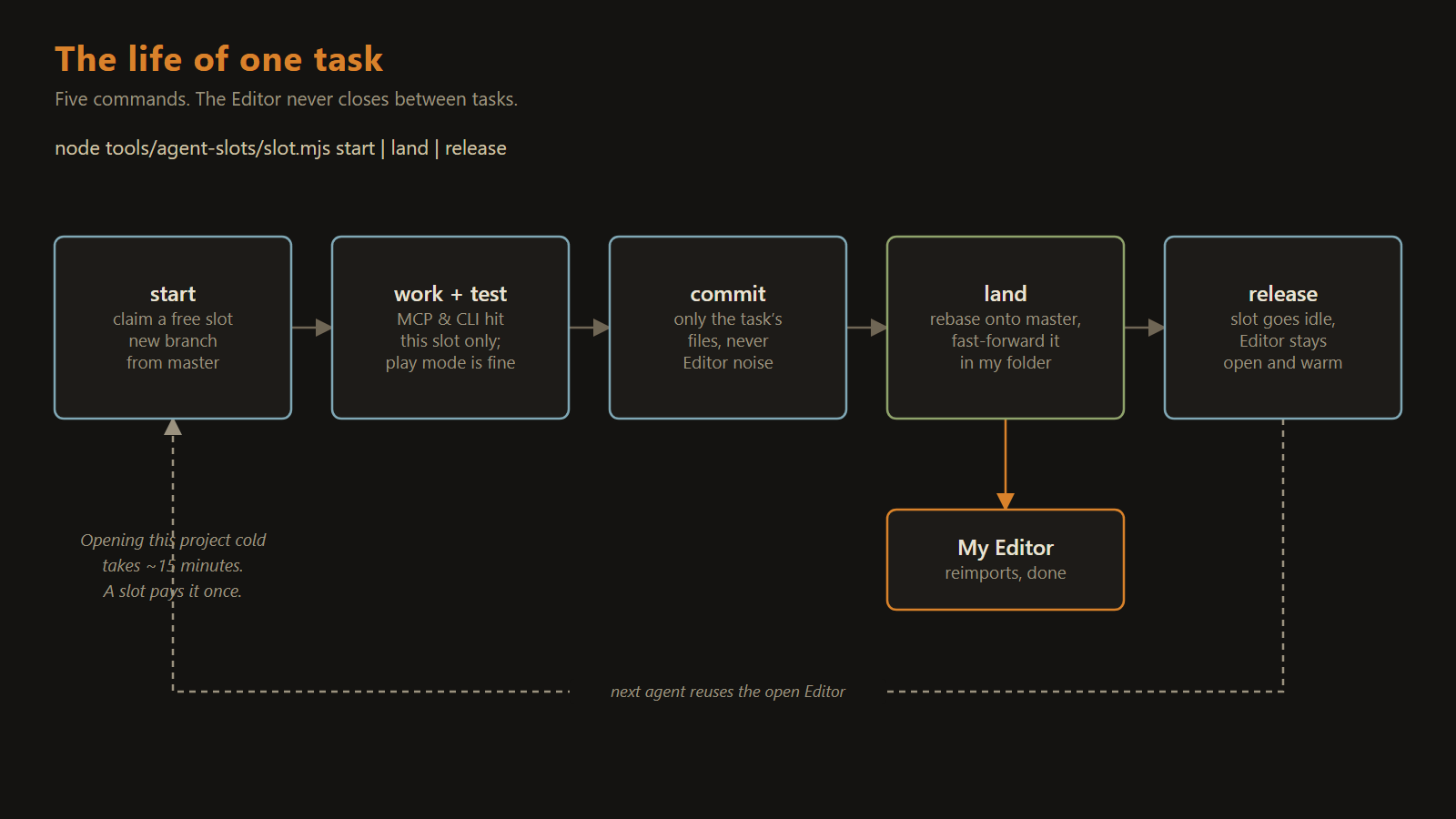 The Editor opens once and outlives every task that uses it.
That last part is why the whole thing works at all. The fifteen minutes gets paid once per slot. Not once per task.
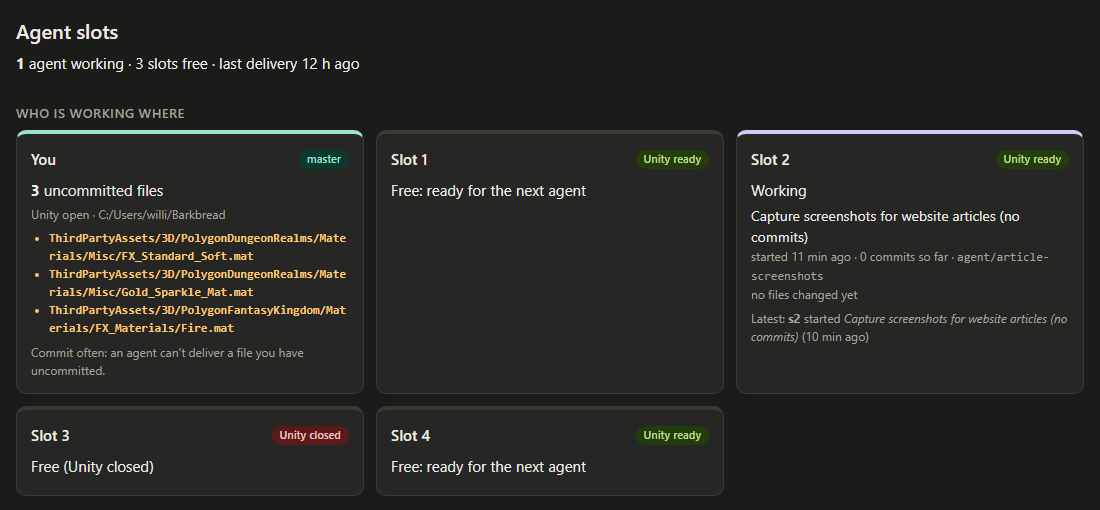 Who’s working where, and what just landed.
When Work Collides
Parallel work means two workers will sometimes change the same file. The tool doesn’t try to be clever about it. It follows a few fixed rules, and it always says out loud what happened:
- Nobody else changed anything? The work goes straight in.
- I’m in the middle of editing the same files? It waits for me. My unsaved work is never touched.
- Someone else got there first? The agent catches up to the latest version, sorts out the conflict and tries again.
- A real clash nobody can merge? What’s already in the project wins, and the agent redoes its change on top.
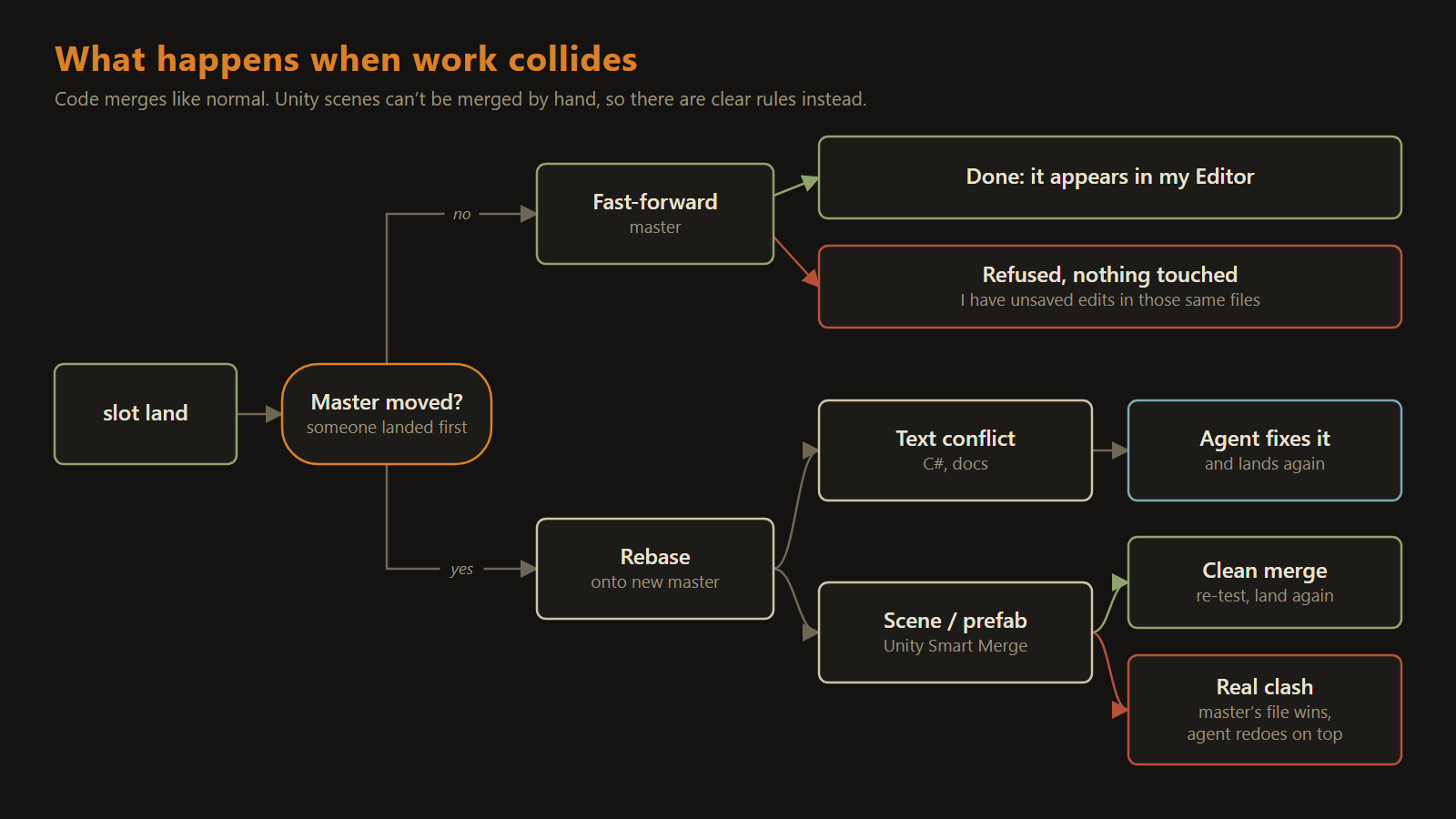 Fixed rules, said out loud every time.
That last rule sounds harsh. I think it’s the right call. What’s already in has been tested, and it might be something I’m working on right now. An agent redoing ten minutes of work beats either of us silently losing ours.
Keeping real clashes rare is mostly habit: build things as small separate pieces, and keep edits to the big shared scenes tiny.
The last piece is making the safe path the default. Every agent’s Unity calls go through a small proxy that sends them to that agent’s own Editor, and refuses them if it hasn’t claimed a slot. So an agent can’t hit play in my Editor while I’m halfway through placing trees, even by accident.
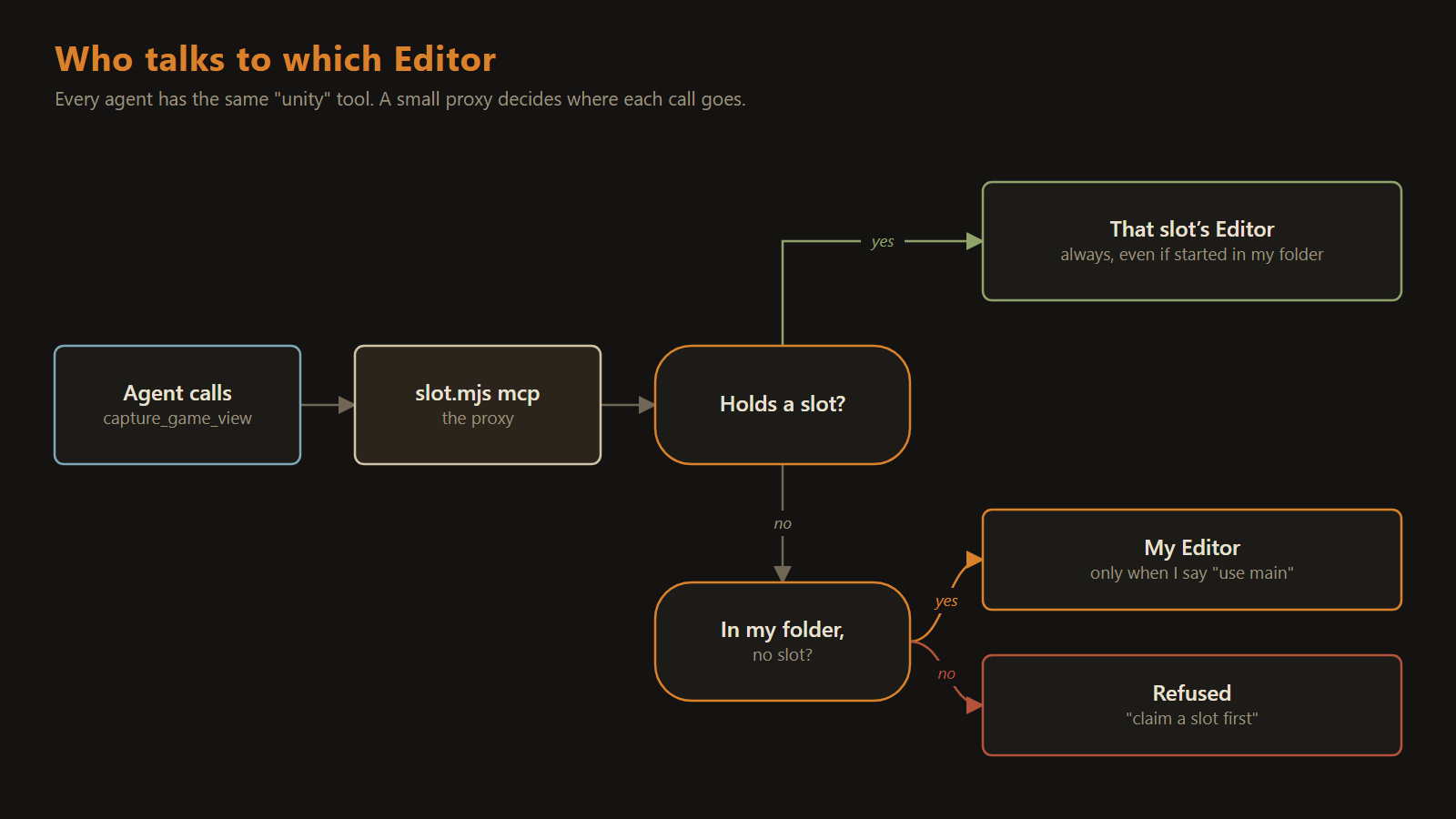 An agent can’t reach my Editor by accident.
Built for Agents, Works for People
Most of the actual work went into edge cases you only find by running it for real. Unity popping up a dialog nobody’s there to click. A session dying halfway through a task and leaving work behind. That one got me while I was taking screenshots for these articles: every slot was holding abandoned work, and the tool flatly refused to hand any of them out until I’d checked what was in there. Mildly annoying. Also exactly what it should do.
Nothing in the design is tied to three. The real limit is hardware, because every open Editor eats a big chunk of memory. Right now I run three or four next to my own.
And none of it cares whether the workers are agents or people. What would make a team of two to ten workable isn’t the script, though. It’s the rules:
- One worker per folder and per Editor.
- Work meets only through git.
- Small pieces, not big shared scenes.
- What’s already in wins a real clash, and the tool says so.
- Nothing ever overwrites someone’s unsaved work.
Unity was built for one person at one Editor. I didn’t fight that. I gave every worker exactly that, and let git (which was designed for sharing) be the only thing they share.
Most days it’s quiet. I’m in the forest placing trees, and every so often Unity reloads because an agent just landed something new, already tested in an Editor of its own.